 Sindh Youth CardRegistration File
Guide
Sindh Youth Card Login PIN and Transaction MPIN Explained
The two Sindh Youth Card security codes explained: the login PIN, the transaction MPIN, what each protects, and what to do if you forget one.
By Bilal Ahmed, Programme Reviewer and APK Tester
Two Codes, Two Jobs
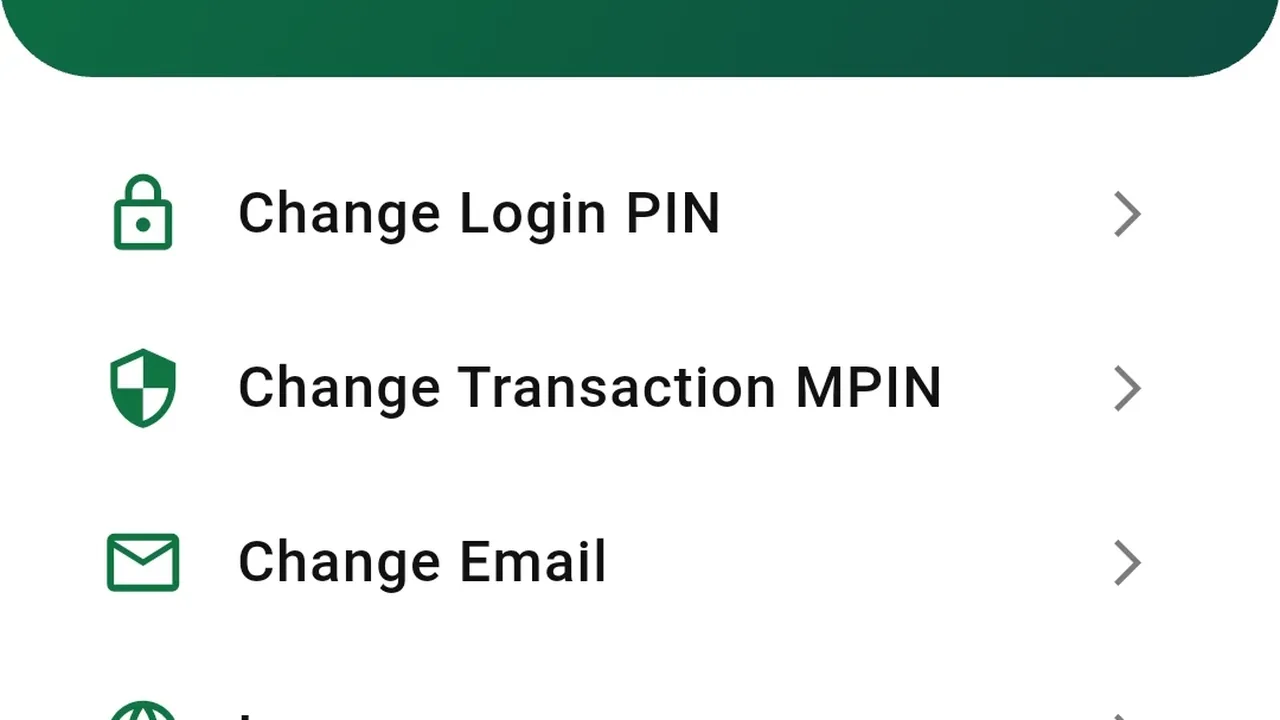
The profile area of Sindh Youth Card app lists two separate settings: Change Login PIN and Change Transaction MPIN. The login PIN protects entry to the app: it is the code you enter to open your account. The transaction MPIN protects money movement: it is the code that authorises transactions in the wallet. Two codes, two jobs, and keeping them different is the single most important habit in this guide.
Set both codes during your first session, before the first transaction, and choose codes that are not your birth year, your mobile number, or a repeating pattern. A code someone can guess from your documents is not a code. Write neither code down where anyone else can find it, and never store either in the same note as your CNIC number.
If You Forget a Code
Use the change option in the profile area, which is the recovery path the app provides. The profile screen lists Change Login PIN and Change Transaction MPIN as separate options, so use the one for the code you forgot, and follow the verification steps the app shows. Do not let anyone else reset a code on your behalf, and do not share either code with anyone offering to help.
If the in-app change does not work, contact the programme through the official channels in the helpline guide, with the step and the exact message the app showed. The login guide covers the separate case of a forgotten password, which uses the forgot-details option on the login screen rather than the profile settings.
Changing Codes Safely
Change both codes if you ever suspect one was seen or shared, and change them from a private place, not in a crowd or on a shared screen. After changing a code, sign out and back in once to confirm the new code works, before you need it for a real transaction. A code confirmed calmly is a code you can rely on under pressure.
Review the profile settings monthly: the PIN, the MPIN, the email, and the language. The wallet guide explains how the codes protect the wallet, and the registration guide covers setting them up in the first place.
Frequently Asked Questions
Answers to the questions applicants ask most about the card and the app.
What is the difference between the login PIN and the MPIN?
The login PIN protects entry to the app. The transaction MPIN authorises money movement in the wallet. Keep them different.
I forgot my Sindh Youth Card PIN. What do I do?
Use the Change Login PIN or Change Transaction MPIN option in the profile area, and follow the verification steps the app shows.
Should my PIN and MPIN be the same?
No. Different codes mean a compromised login code does not authorise transactions.