 Sindh Youth CardRegistration File
Guide
Sindh Youth Card Types: Z Current vs Minor Account Card
The two Sindh Youth Card types explained: the Z Current Account Card for adults and the Minor Account Card for under-18s.
By Bilal Ahmed, Programme Reviewer and APK Tester
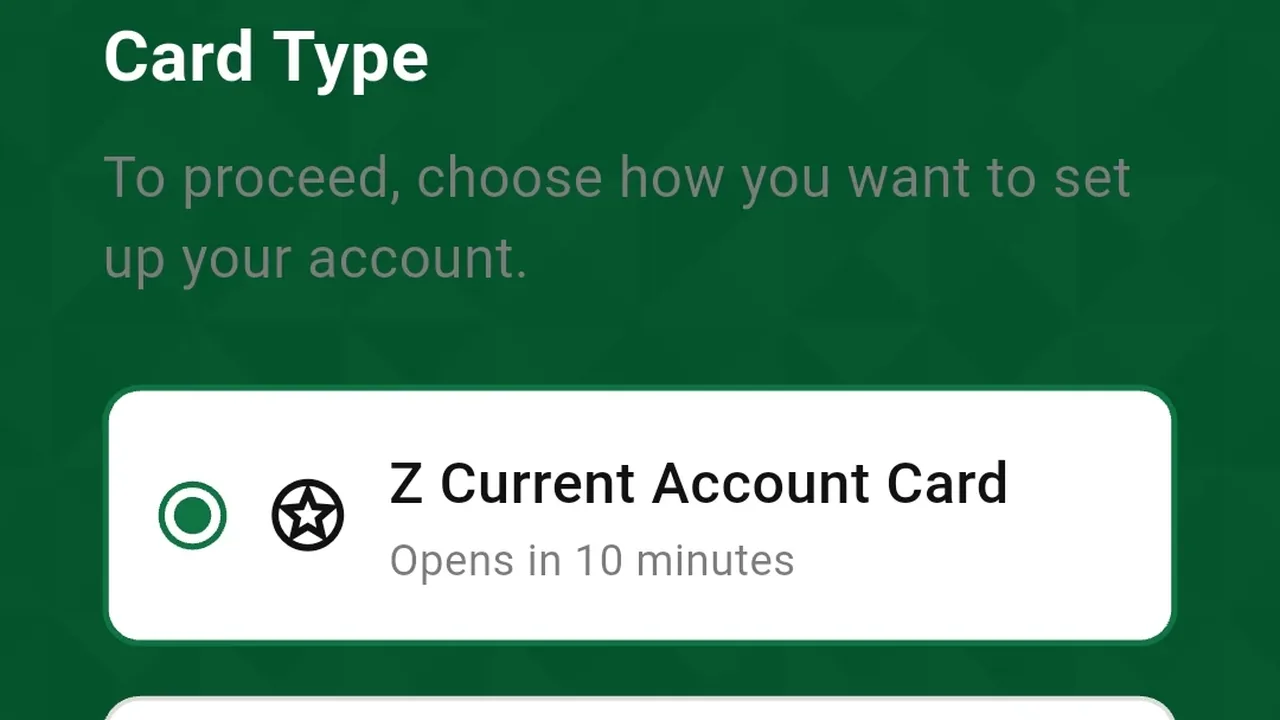
The Two Card Types
The app's card-choice screen offers two cards: a Z Current Account Card and a Minor Account Card for users under 18. Sindh Youth Card APK shows both on one screen, with a short description under each, and the screen states that the account opens in 10 minutes. The choice is made during registration, after the account form and verification steps.
The cards differ in who they are for, not in prestige. The current account card is the adult path, linked to a CNIC and biometric verification. The minor card is the under-18 path, linked to a B-Form and a guardian's CNIC. Both sit in the same app, with the same dashboard, wallet, and discounts around them.
Choosing the Right One
Choose by the applicant's age on the day of registration. Under 18: the Minor Account Card, with the B-Form number and guardian details ready. 18 or older: the Z Current Account Card, with the CNIC and biometric verification ready. Age on the day decides, not the age the applicant turns later this year.
If you chose the wrong card, do not try to work around it inside the app. The registration guide covers the full flow, and the under-18 guide covers the minor path in detail. Correcting the choice early, before the account is used, is far simpler than fixing it after transactions and discounts are attached to it.
After Choosing
Once the card is chosen, the dashboard becomes the home screen: Apply for Youth Card, Digital Wallet, Discount Universe, education and academia, campus events, and job opportunities. Open each section once to learn where things live, then set the login PIN and transaction MPIN in the profile area before using the wallet.
The wallet and PIN settings are covered in the Zindigi wallet guide and the PIN and MPIN guide. Set both codes before the first transaction, keep them different from each other, and never share them with anyone who asks.
Frequently Asked Questions
Answers to the questions applicants ask most about the card and the app.
What are the two Sindh Youth Card types?
A Z Current Account Card and a Minor Account Card for users under 18, shown on the app's card-choice screen.
Which card should I choose?
Under 18: the Minor Account Card with a B-Form and guardian details. 18 or older: the Z Current Account Card with a CNIC.
How long does the account take to open?
The app's card-choice screen states the account opens in 10 minutes.